


 Download
Numbers like 1,300 live channels and 50,000 movies show up a lot when people search for Magis TV. Claims that big are worth a closer look before you install anything on your phone or TV box, so here’s a straightforward breakdown of what this app is and what it’s actually built for.
What Kind of App Is Magis TV?
Magis TV works more like an IPTV hub than a simple movie app. Instead of just one content category, it bundles live TV channels, on-demand movies, series, and sports broadcasts into a single interface. The app originally focused on Latin American channels, and it has since expanded to cover international content as well. Also you may try Bappam TV APK.
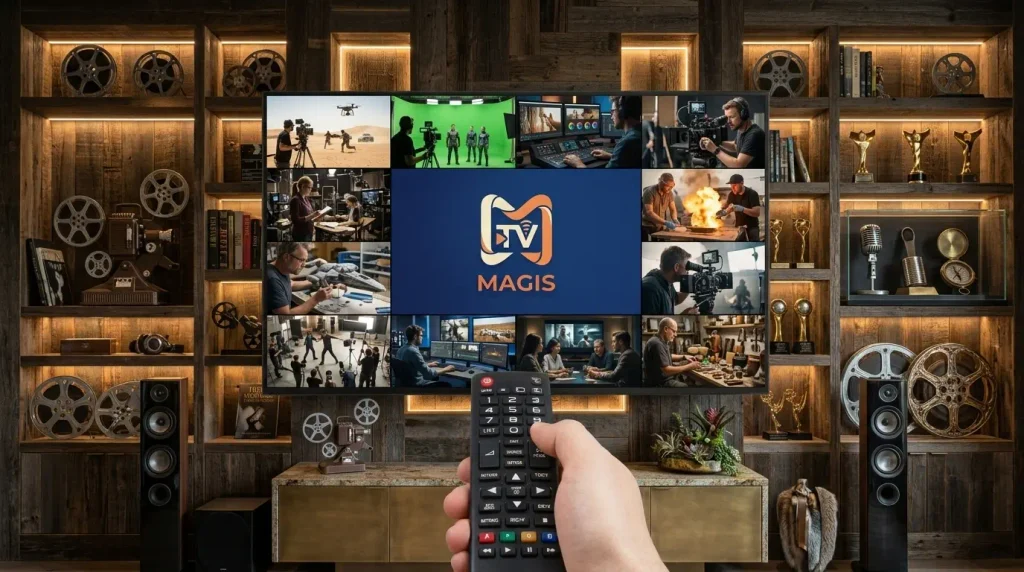
Because it functions as an IPTV player, Magis TV pulls its channel and movie streams from external sources rather than hosting everything itself. That’s a key difference from apps that just stream a fixed movie library.
Where Magis TV Actually Works
One thing that sets this app apart is how many screens it supports. Unlike a lot of regional streaming APKs that only run on phones, Magis TV is built to work across:
- Android smartphones and tablets
- Android TV and Google TV devices
- Amazon Fire TV and Fire Stick
- Smart TVs from brands like Samsung and LG (through a sideloaded APK)
- Windows PCs, via an Android emulator
This makes it genuinely more flexible than single-device streaming apps, which is likely why it shows up so often in “best free IPTV app” searches.
Setting It Up on Your Devices
The setup process is roughly the same everywhere, with small tweaks per device:
On Android phones or tablets: download the APK from the official site, enable “Install from unknown sources” in Settings, then open the file to install.
On Fire TV or Fire Stick: go to Settings > My Fire TV > Developer Options and turn on “Apps from Unknown Sources.” Then use a browser or file-transfer app to sideload the APK.
On Smart TVs: most models need the APK transferred via USB or a similar sideloading method, since built-in TV browsers don’t always support direct downloads.
On PC: you’ll need an Android emulator installed first, since Magis TV doesn’t have a native Windows version.
Is the Content Legit?
Here’s where you should slow down before getting excited about the numbers. IPTV apps that offer huge live channel counts for free are almost always pulling those streams from unlicensed sources. Live sports broadcasts, in particular, are heavily protected by broadcasting rights, and free access to hundreds of sports channels is rarely something a legitimate free app can offer.
This doesn’t mean Magis TV won’t work technically — many of these apps do function as advertised. It means the legality of the content itself is questionable in most countries, and that’s worth knowing going in.
Safety Considerations
Since Magis TV isn’t distributed through the Play Store, it skips Google’s standard security review. A few precautions help:
- Only download from the app’s official domain, never a random mirror link
- Check requested permissions before installing — an IPTV app doesn’t need access to your messages or call log
- Avoid linking any payment method, since the free version shouldn’t ask for one
- Keep antivirus or Play Protect active even after sideloading
Free Version vs Paid Plans
Magis TV runs on a freemium setup. The free tier includes ads and a large chunk of the channel library, while a paid plan removes ads and can improve stream stability and video quality. If you’re only testing the app, the free version is usually enough to judge whether it’s worth using long-term.
A Few Legal Alternatives
If the copyright question bothers you, there are licensed options that cover similar ground:
- Pluto TV — free, ad-supported live channels, fully legal
- Tubi — free movies and shows with proper licensing
- DAZN or ESPN+ — paid but legitimate sports streaming
Frequently Asked Questions
Does Magis TV work on iPhone?
No, it’s designed for Android and Android-based TV systems, not iOS.
Do I need an account to use it?
No account or login is required for the core app.
Is the free version enough, or do I need the paid plan?
The free version covers most of the content; the paid plan mainly removes ads and boosts quality.
Can I install it on a regular Smart TV?
Yes, but you’ll likely need to sideload it via USB since it isn’t on TV app stores.
Final Word
Magis TV’s biggest strength is how many devices it reaches and how much content it bundles into one app. That said, the scale of “free” content especially live sports is a strong signal that licensing isn’t behind most of it. Weigh that against the convenience before deciding it’s worth installing.
Disclaimer: This article is for informational purposes only. We do not host or distribute the Magis TV APK. Check your local laws regarding unlicensed streaming before downloading any app like this.
 Rattings and reviews

 4.3
4.3  V2.76
V2.76